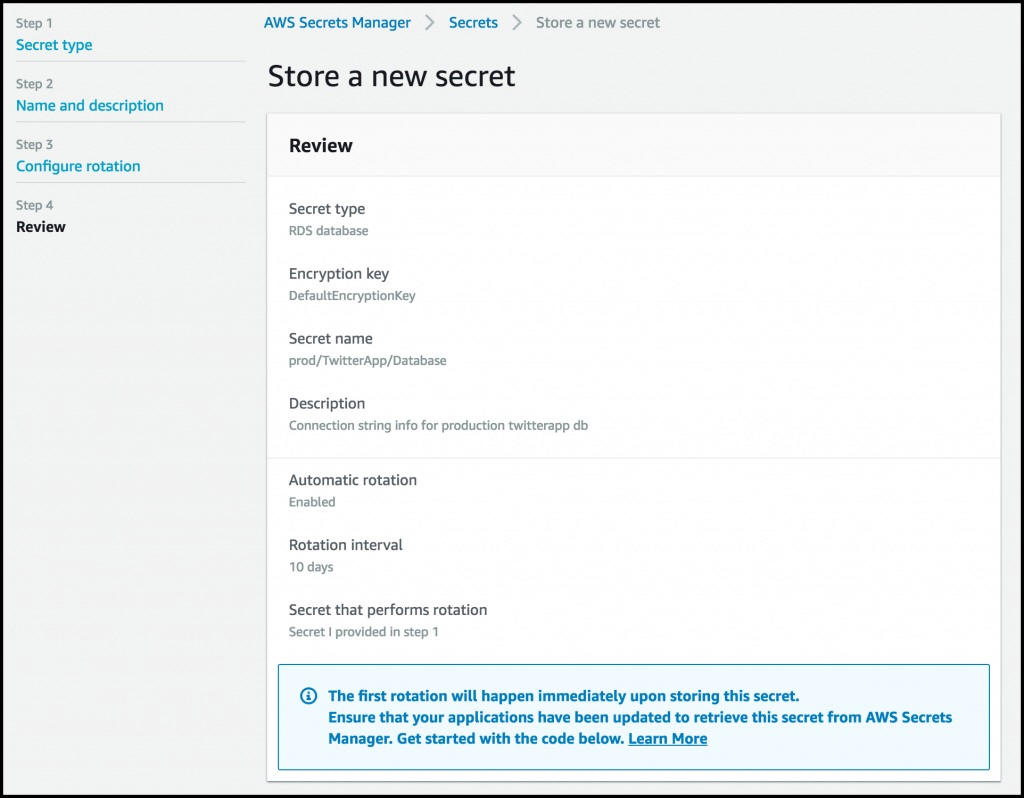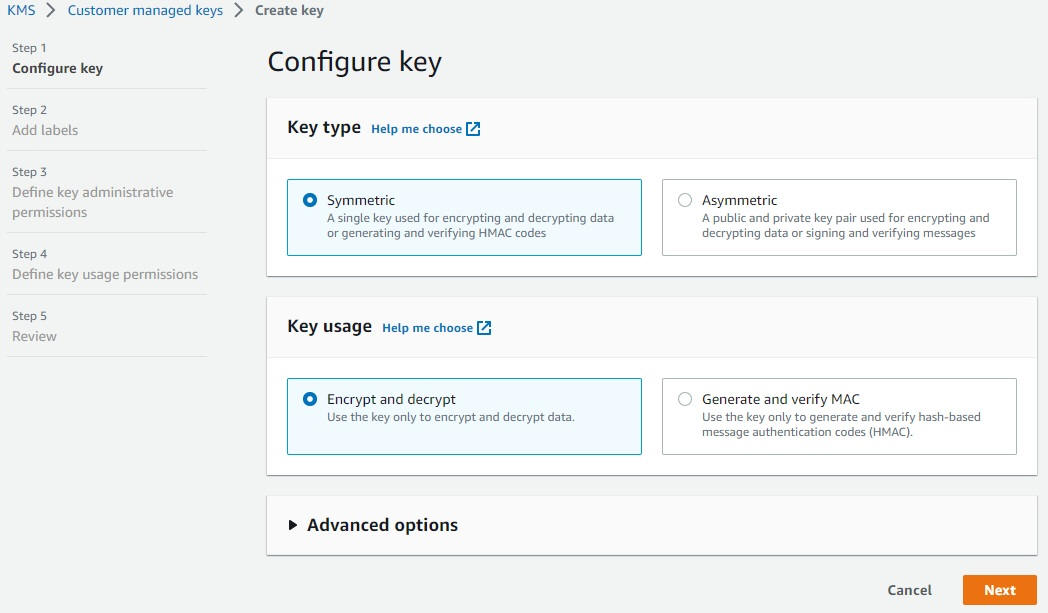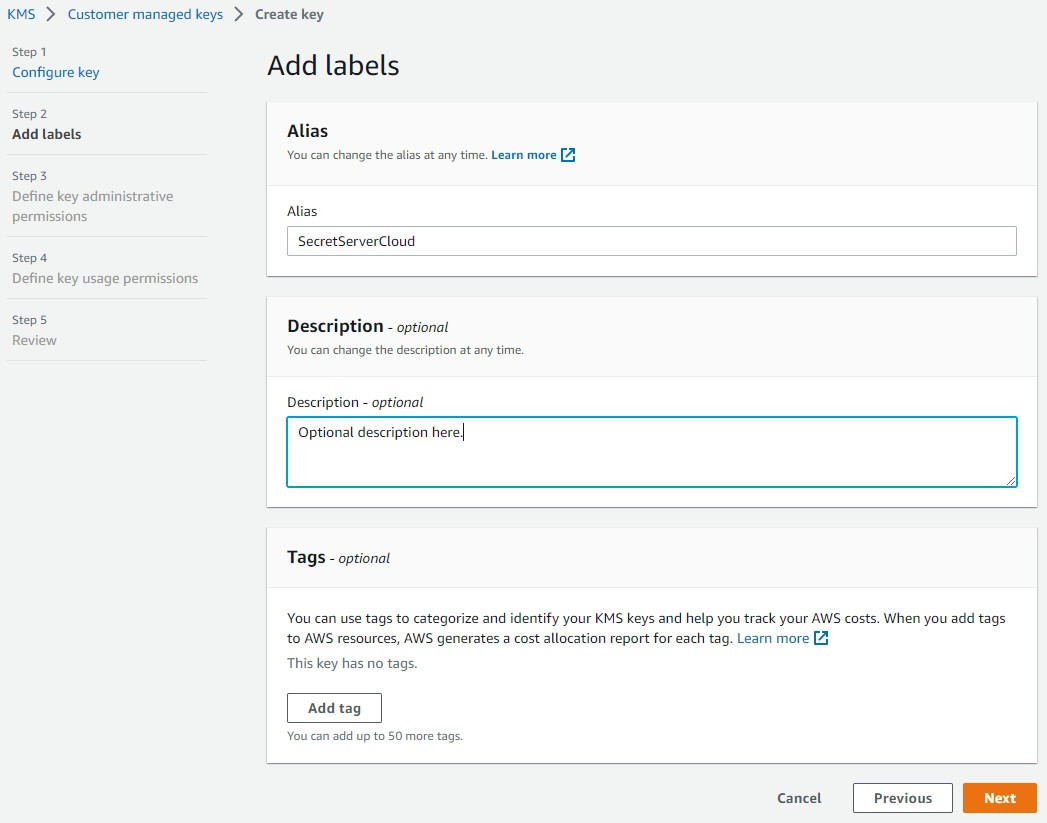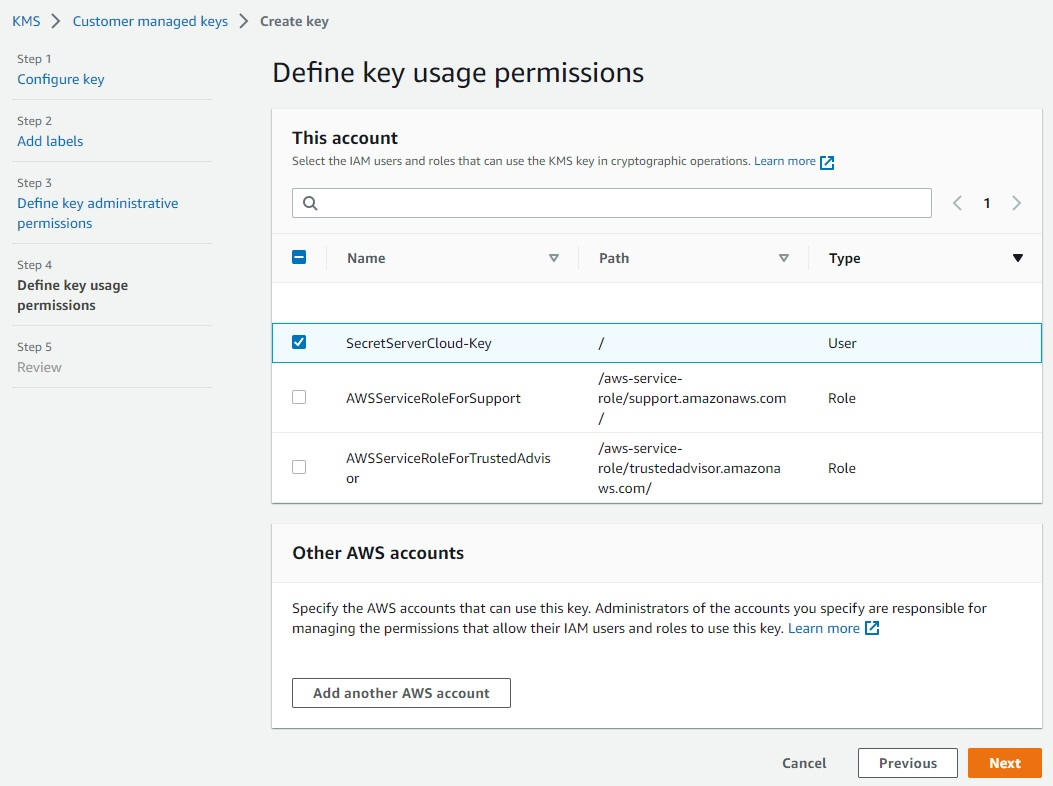




The order follows this logic:

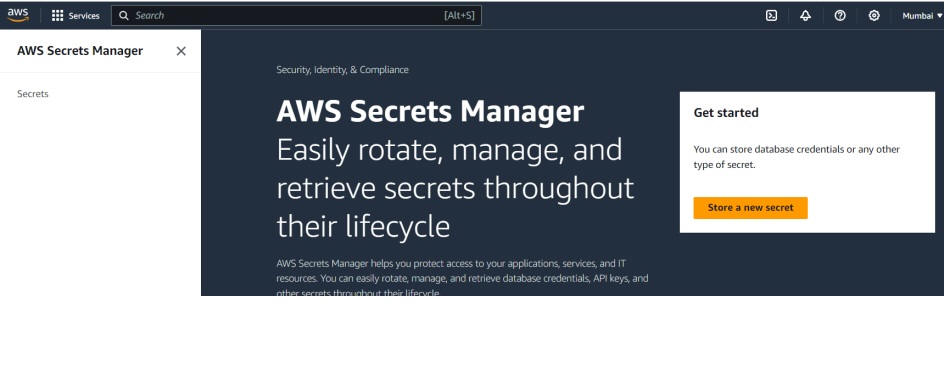
1. Go to the vault
2. Create a secret
3. Define its type
4. Enter sensitive data
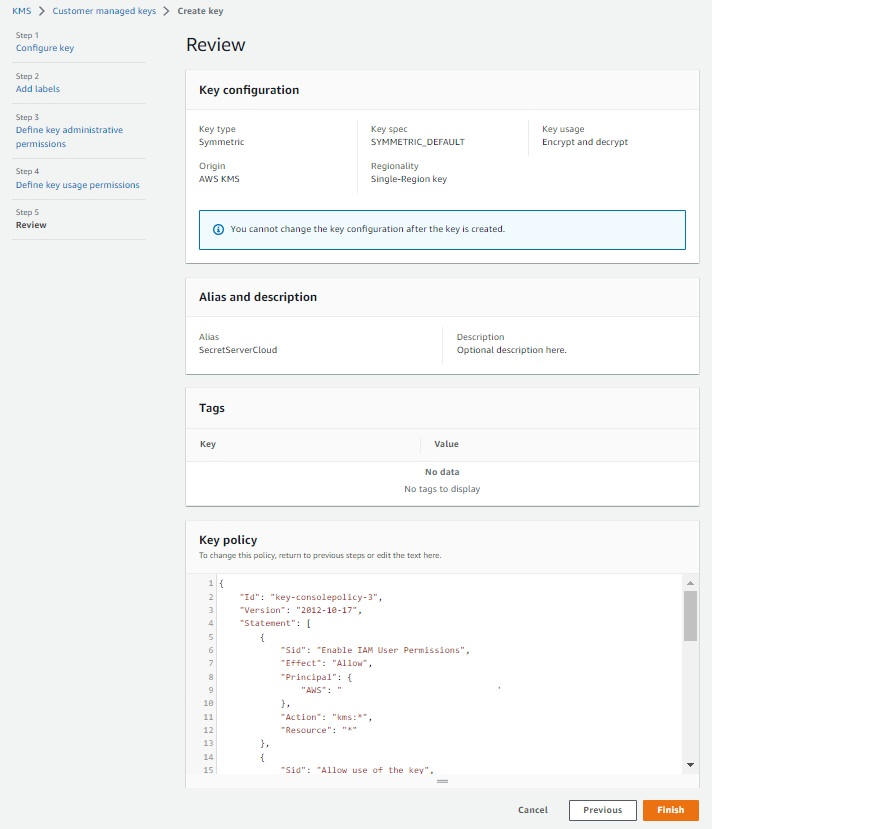
5. Secure it (encryption)
6. Organize it (name)
7. Maintain security (rotation)
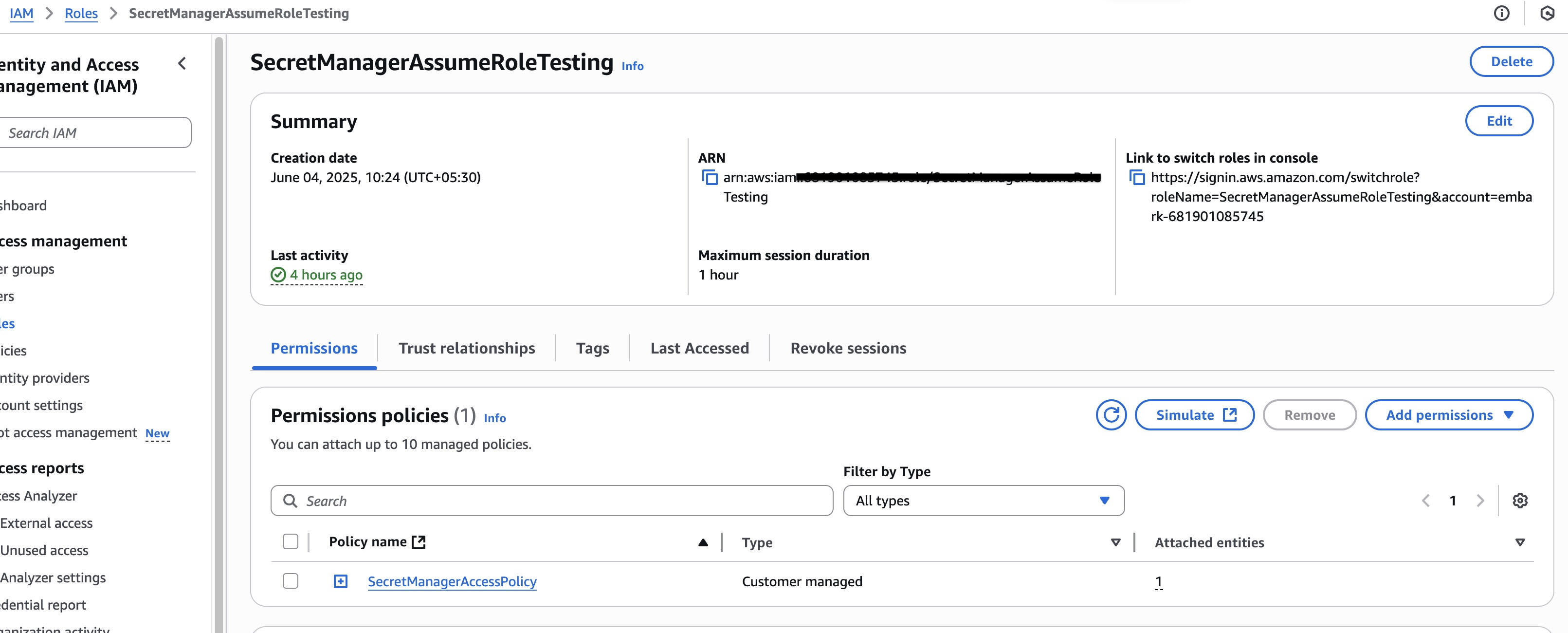
8. Control access (IAM)
9. Use it in an application


1. Access Secrets Manager (the “vault”)

AWS Secrets Manager

👉 Why start here?
Because this is where you **securely store secrets**.

✔️ Examples of secrets:
➡️ passwords
➡️ API keys
➡️ database credentials

💡 It’s AWS’s “vault”.

---

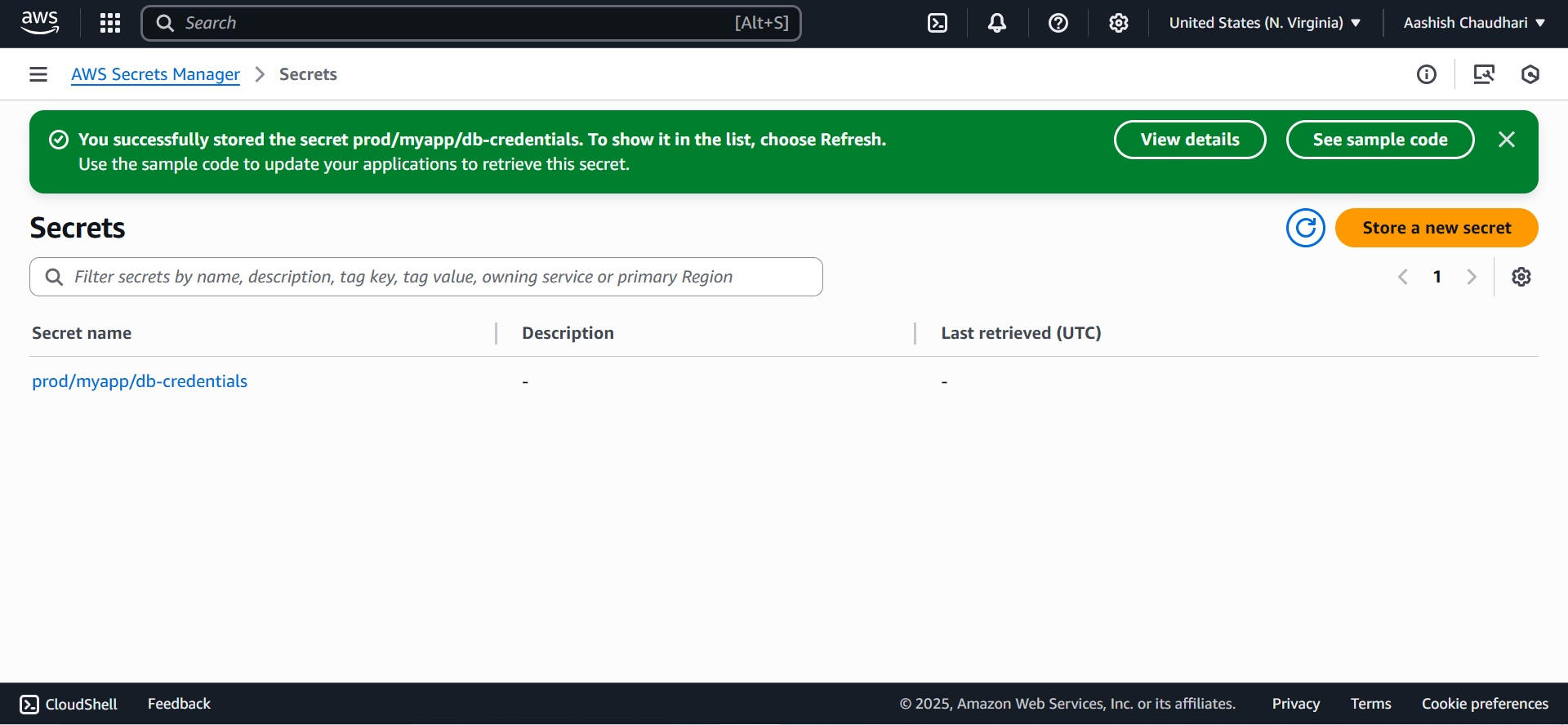
2. Click “Store a new secret”

👉 Why?

Because:

You want to create a new secret
This is the starting point of the process

✔️ Without this → nothing is created

---

3. Choose the type of secret

👉 Why now?

Because:

AWS needs to understand what you are storing

✔️ Examples:

database credentials
API key
custom secret

💡 This helps AWS manage the secret properly

---

## ✍️ 4. Enter the secret

👉 Why here?

Because:

This is the core of the process

✔️ You enter:
➡️ username / password
➡️ sensitive data

---

5. Choose the encryption key

👉 Why after entering the secret?

Because:

* The secret must be protected immediately

✔️ AWS will:
➡️ encrypt the secret
➡️ use a secure key (KMS)

💡 Without encryption → critical risk

---

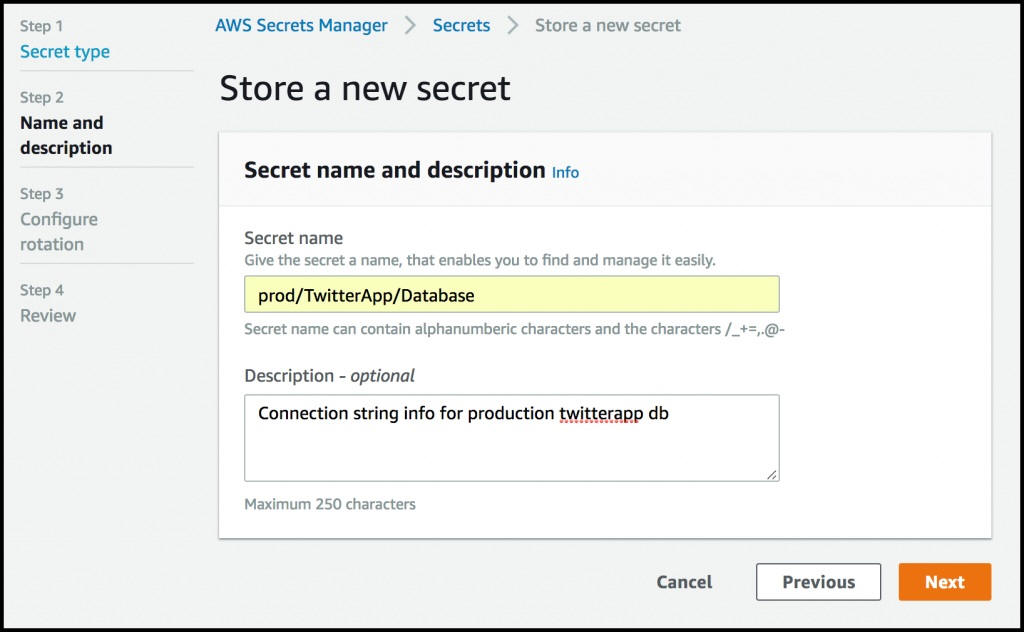
6. Name and describe the secret

👉 Why?

Because:

You need to find and manage it easily

✔️ Best practices:
➡️ clear name
➡️ meaningful description

💡 Very important in real environments

---

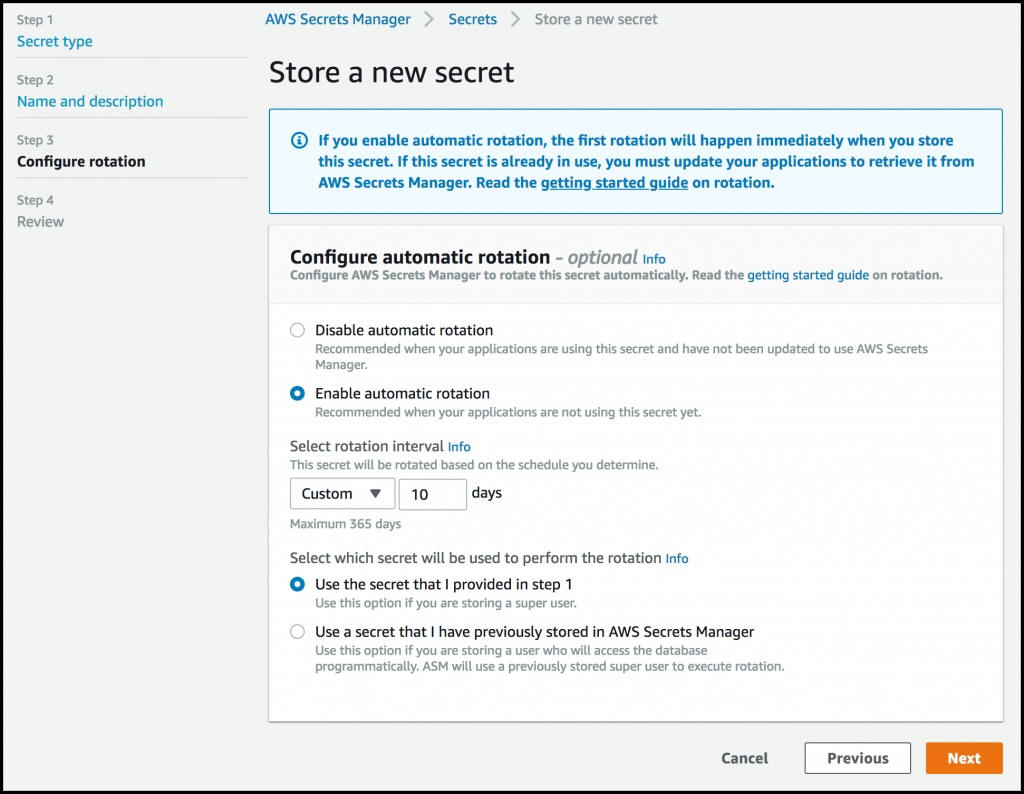
7. Configure automatic rotation

Why now?

Because:

Security must be maintained over time

✔️ Rotation =
➡️ automatically changing passwords

💡 Strongly reduces security risks

---

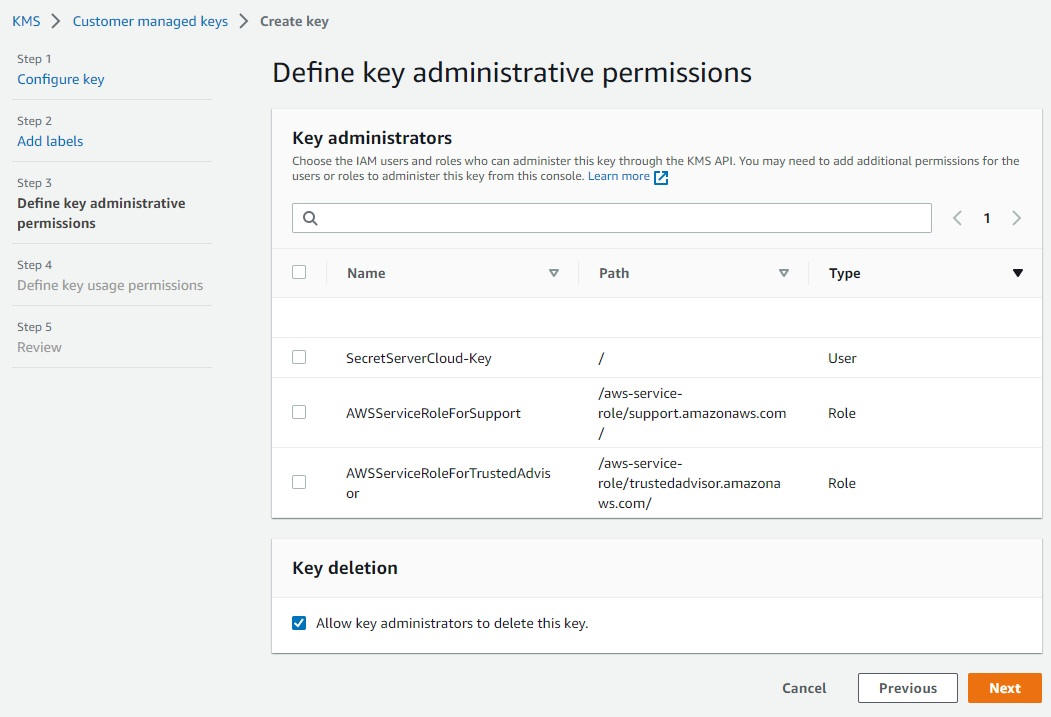
8. Configure IAM permissions

AWS Identity and Access Management

👉 Why after?

Because:

-The secret already exists
-Now you decide who can access it

✔️ Key principle:
➡️ *Least privilege* (minimum necessary access)


-Access Secrets Manager (the “vault”) :
-Click “Store a new secret” :


-Configure automatic rotation :


-Configure IAM permissions :


Copyright © All rights reserved.


* Cybersecurity Analyst
* SOC Analyst
* Security Operations Center
* Cloud Security
* DevSecOps
* Information Security
* Cybersecurity Engineer
* Threat Detection
* Incident Response
* SIEM Monitoring

---

# 🛡️ 2. Mots-clés SOC (très importants pour recrutement)

* SOC Analyst Tier 1
* SOC Analyst Tier 2
* Security Monitoring
* Log Analysis
* Security Alerts
* Threat Hunting
* Malware Analysis
* Phishing Detection
* Brute Force Detection
* Incident Investigation
* Security Events
* Blue Team

---

# ☁️ 3. Mots-clés Cloud Security

* Cloud Security Engineer
* AWS Security
* Azure Security
* Cloud Infrastructure Security
* Cloud Threat Detection
* Cloud Monitoring
* Identity and Access Management (IAM)
* Cloud Compliance
* Cloud Security Best Practices

---

# ⚙️ 4. Mots-clés DevSecOps

* DevSecOps Engineer
* Secure CI/CD Pipeline
* Security Automation
* Infrastructure as Code Security
* Docker Security
* Kubernetes Security
* Application Security
* Code Security
* SAST / DAST
* Continuous Security

---

# 🔬 5. Mots-clés techniques (très puissants SEO)

* Splunk
* ELK Stack (Elasticsearch, Logstash, Kibana)
* Microsoft Sentinel
* Wireshark
* Sysmon
* Linux Security
* Windows Security Logs
* Network Security
* Firewall Logs
* IDS / IPS

---

# 🚀 6. Mots-clés “portfolio / recrutement”

👉 Très important pour être trouvé par RH

* Cybersecurity Portfolio
* SOC Analyst Portfolio
* Cybersecurity Projects
* Cybersecurity Labs
* Security Use Cases
* Threat Detection Lab
* Cybersecurity Skills
* Entry Level Cybersecurity
* Junior Cybersecurity Analyst

---

# 📈 7. Mots-clés SEO longue traîne (ULTRA PUISSANT)

👉 Ceux-là font la différence 🔥

* Cybersecurity analyst portfolio website
* SOC analyst projects and labs
* How to detect cyber attacks using SIEM
* Cybersecurity incident response examples
* Cloud security best practices for beginners
* DevSecOps security pipeline example
* SIEM log analysis tutorial
* Threat detection use cases

---

# 🧠 STRATÉGIE SEO (très important)

## 📌 Où mettre ces mots-clés :

* Page d’accueil (titre + description)
* Page “About”
* Page “Labs”
* Titres H1 / H2 / H3
* Meta description
* URL des pages

---

# 🏆 EXEMPLE DE TITRE SEO (à utiliser)

👉
**Cybersecurity Analyst Portfolio | SOC, Cloud Security & DevSecOps Projects**

---

# 🏆 EXEMPLE META DESCRIPTION

👉
**Cybersecurity Analyst portfolio with hands-on labs in SOC monitoring, SIEM, Cloud Security and DevSecOps. Available for hiring.**

---
 

Manager DSI (secteur bancaire)

🎯 Mots-clés principau

# 🏦 🔥 1. Mots-clés Manager DSI (secteur bancaire)

## 🎯 Mots-clés principaux

* IT Manager
* IT Director
* Head of IT
* IT Governance
* Information Systems Management
* Digital Transformation
* IT Strategy
* Enterprise IT

---

## 🏦 Spécifique BANQUE (très puissant)

* Banking IT Systems
* Core Banking Systems
* Financial Information Systems
* Banking Cybersecurity
* Risk Management Banking
* IT Compliance Banking
* Data Protection Banking
* Financial Security

---

## ⚖️ Gouvernance & conformité

* IT Governance Framework
* COBIT
* ITIL
* Risk Assessment
* Business Continuity Plan (BCP)
* Disaster Recovery Plan (DRP)
* Regulatory Compliance

---

## 📊 Management & pilotage

* IT Project Management
* Team Leadership IT
* IT Operations Management
* KPI IT Performance
* IT Service Management (ITSM)
* Strategic IT Planning

---

# 🏥 🛡️ 2. Mots-clés RSSI (hôpital / santé)

## 🎯 Mots-clés principaux

* Chief Information Security Officer (CISO)
* Information Security Manager
* Cybersecurity Governance
* Security Risk Management
* Security Policies

---

## 🏥 Spécifique SANTÉ (très important)

* Healthcare Cybersecurity
* Hospital Information Systems (HIS)
* Patient Data Protection
* Medical Data Security
* Health IT Security
* Electronic Health Records (EHR) Security

---

## 🔐 Sécurité & conformité

* ISO 27001
* NIST Cybersecurity Framework
* GDPR Compliance
* Data Privacy
* Access Control
* Identity Management

---

## 🚨 Gestion des incidents

* Incident Response Management
* Security Operations Management
* Cyber Risk Assessment
* Vulnerability Management
* Threat Intelligence

---

# 🚀 🧠 3. Mots-clés hybrides (TRÈS PUISSANTS 🔥)

👉 Ceux-là font le lien entre ton profil actuel et ton évolution :

* Cybersecurity Leadership
* IT Security Strategy
* Enterprise Security Architecture
* Security Governance
* IT Risk Management
* Digital Security Transformation
* Cloud Security Governance