




GitHub link          README


Ultra-simple summary

👉 The order follows this logic:

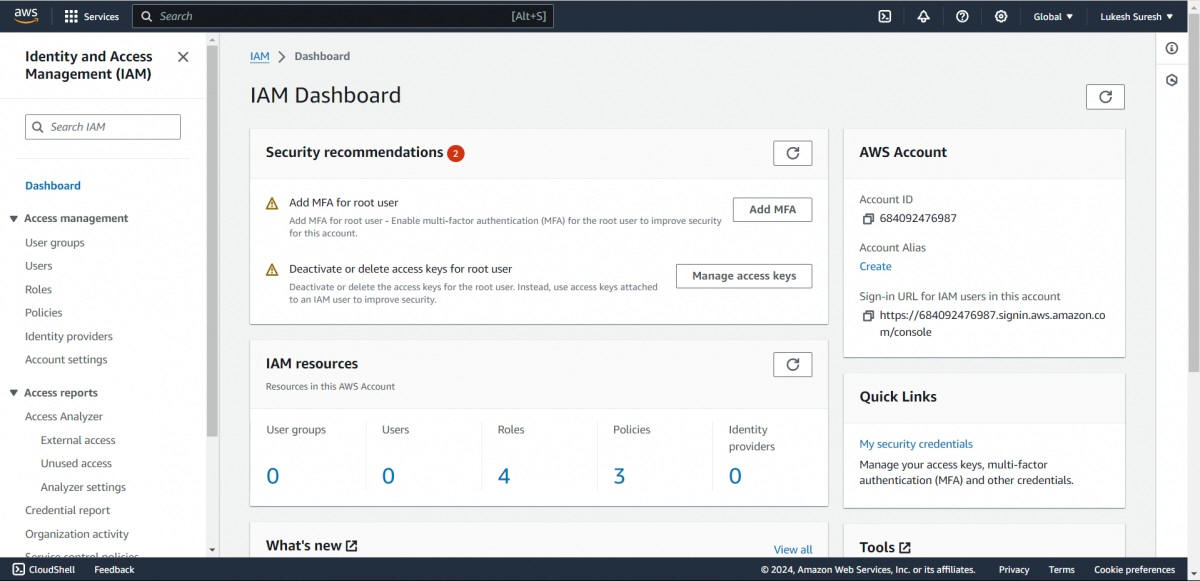
1. Go to IAM
2. Define rules (Policy)
3. Organize (Groups)
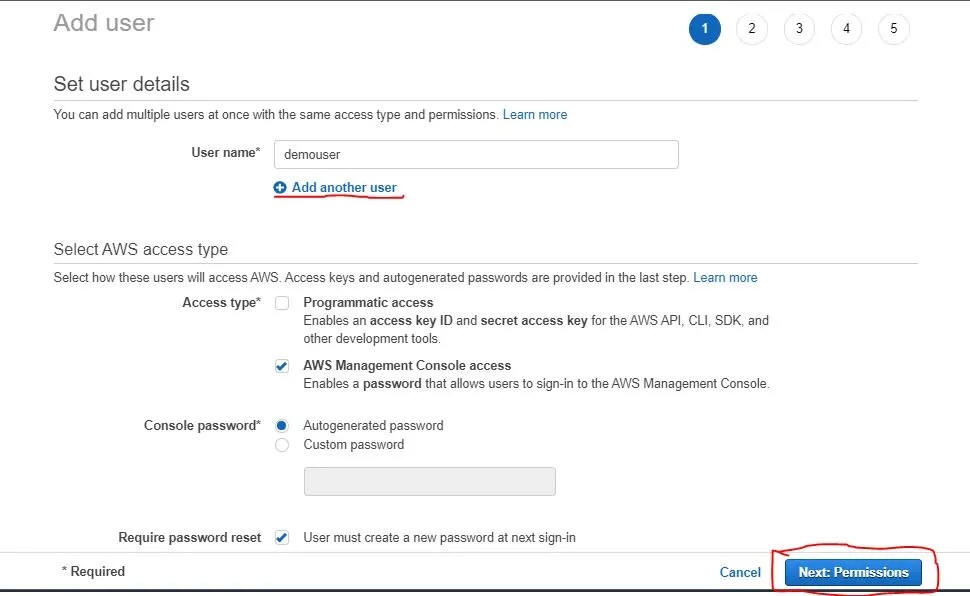
4. Create user
5. Grant permissions
6. Secure (MFA)
7. Test
8. Apply to machines (Role)


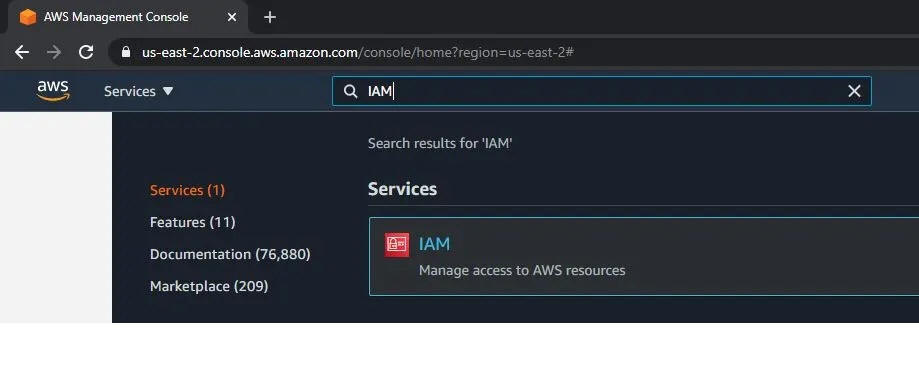
1. Start by going into IAM (the “control center”)

AWS Management Console
AWS Identity and Access Management

👉 Why?
Before creating users or giving access, you must go to the place where everything is managed.

✔️ IAM = where you control who can do what in AWS

---

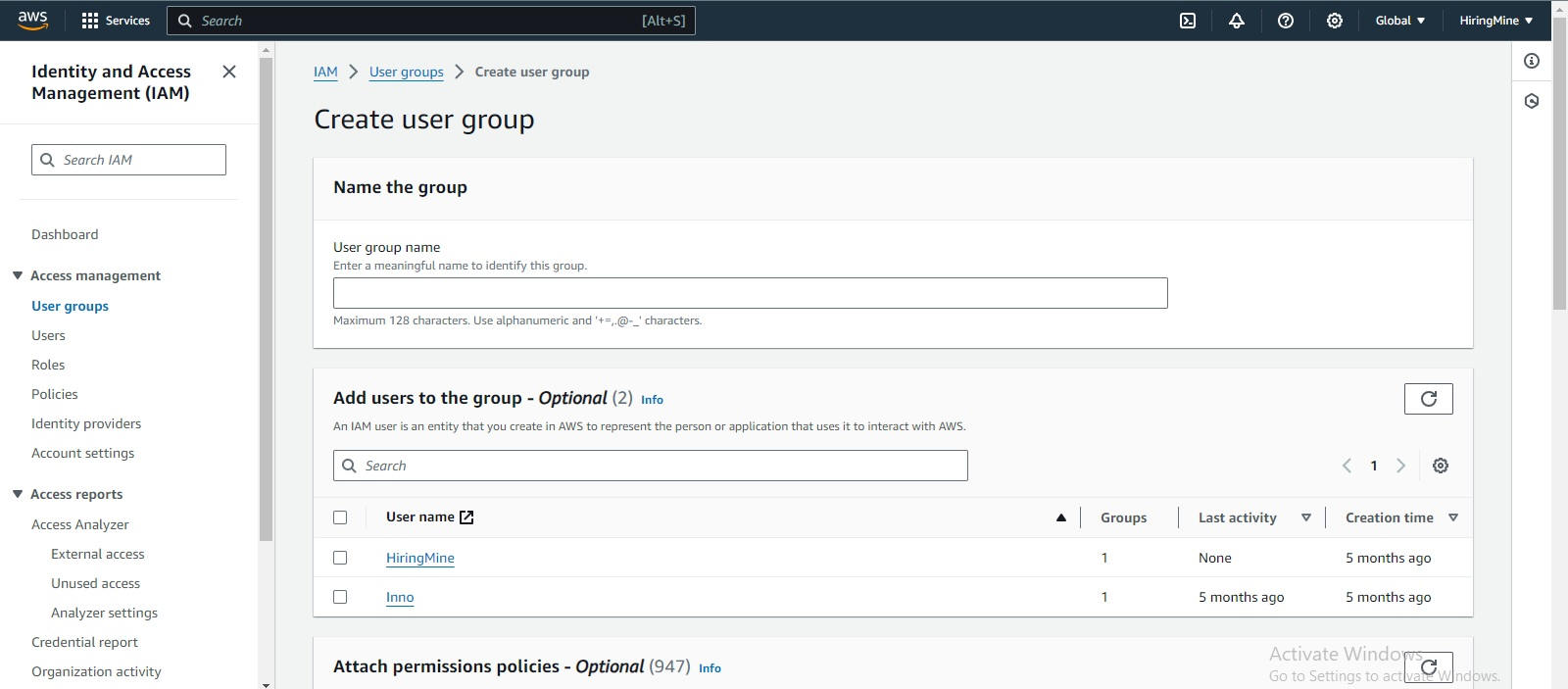
2. Create a GROUP (before the user)

👉 Why not create the user first ?

Because:

A group = a set of permissions
It avoids repeating the same permissions for each user

💡 Simple example:
➡️ “Admins” group → full access
➡️ “Developers” group → limited access

✔️ So: prepare the rules BEFORE adding people

---

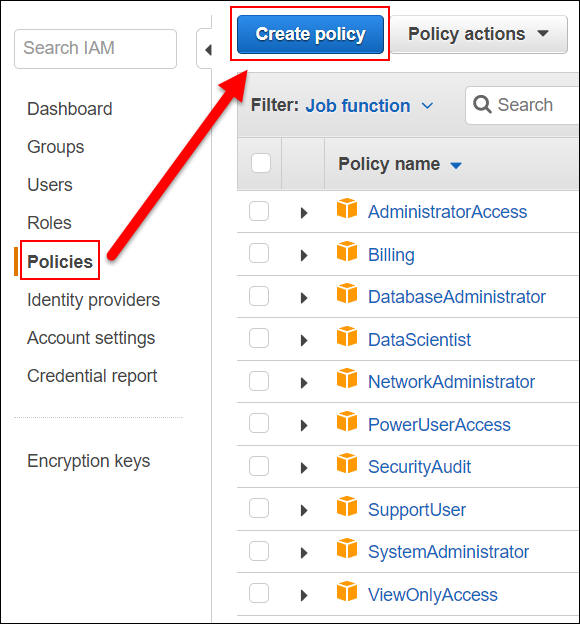
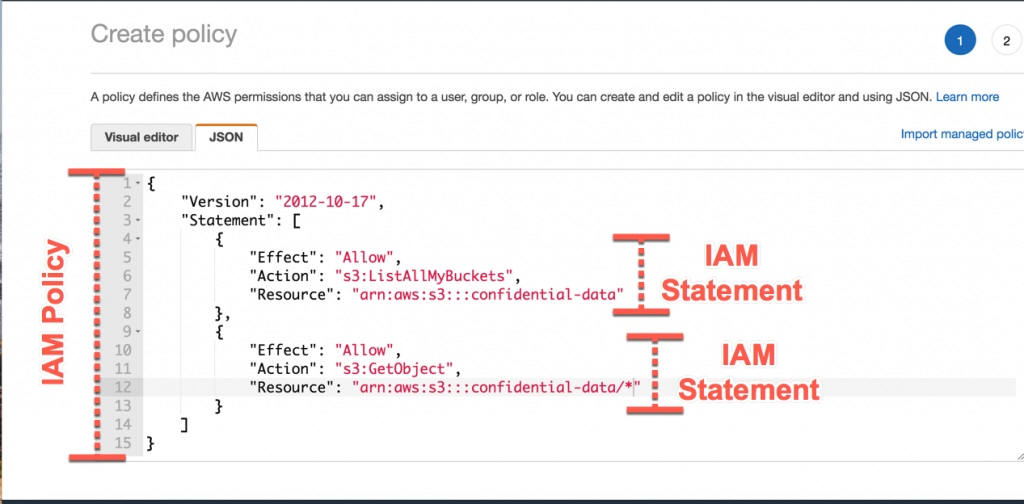
3. Create a POLICY (the security rules)

👉 Why here?

Because:

A policy = permissions (allow / deny)
Without a policy → nobody can do anything

✔️ First define:
“What is allowed?”

---

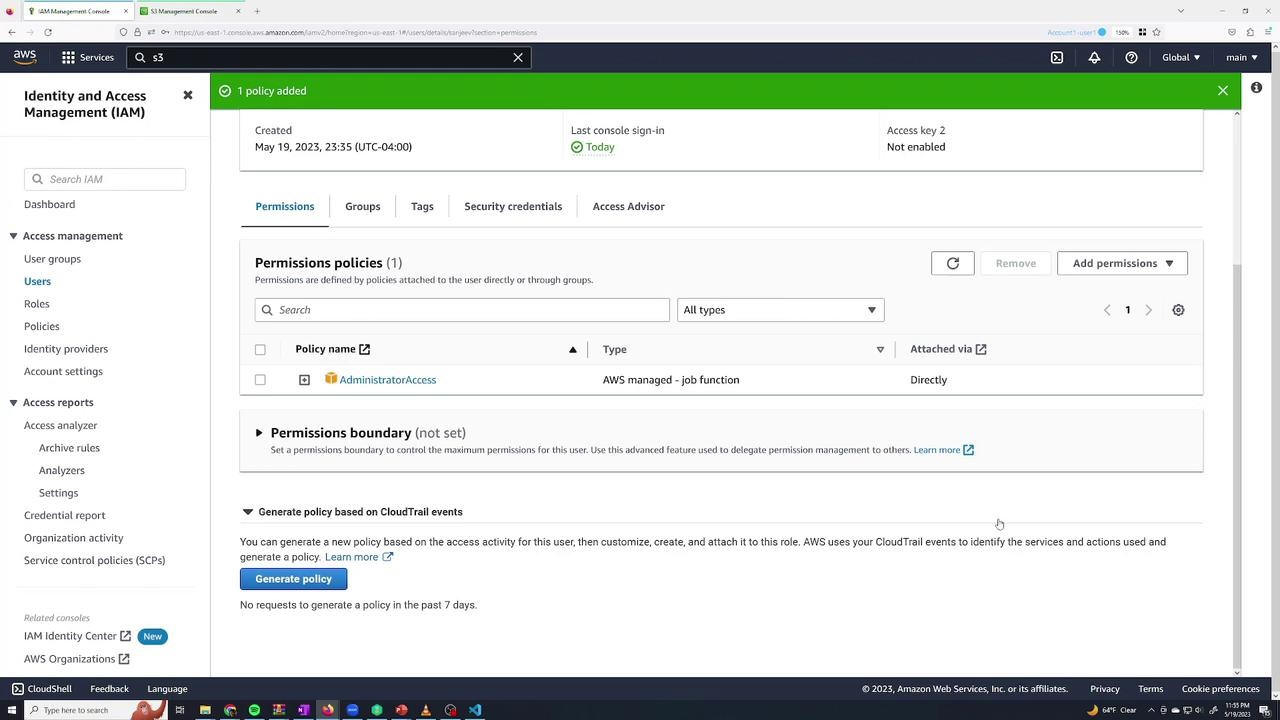
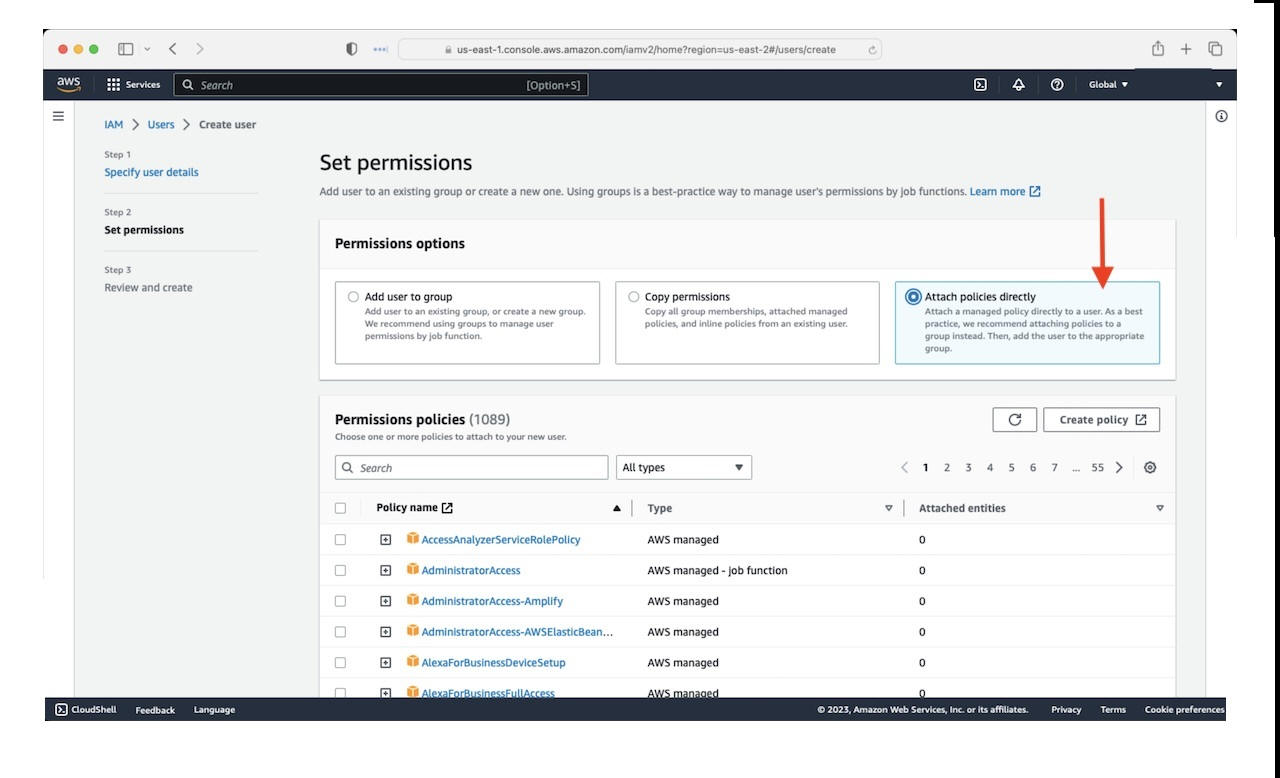
4. Attach the policy to the group

👉 Why?

To avoid managing permissions user by user

✔️ Result:
➡️ The group is ready to use
➡️ All future users automatically get the permissions

---

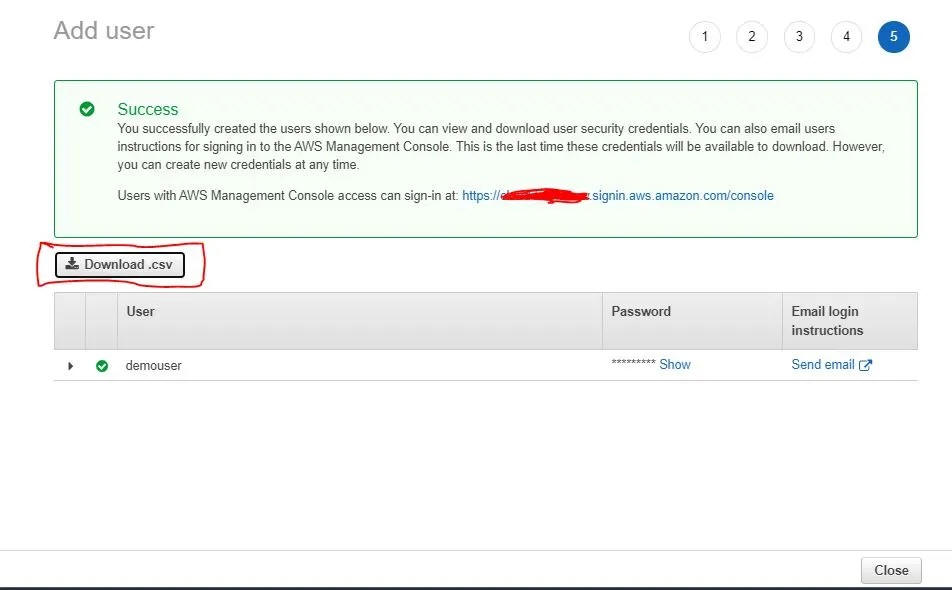
5. Create the IAM user

👉 Why now?

Because:

You already prepared:

-the rules (policy)
-the structure (group)

✔️ So you can create a user cleanly and quickly


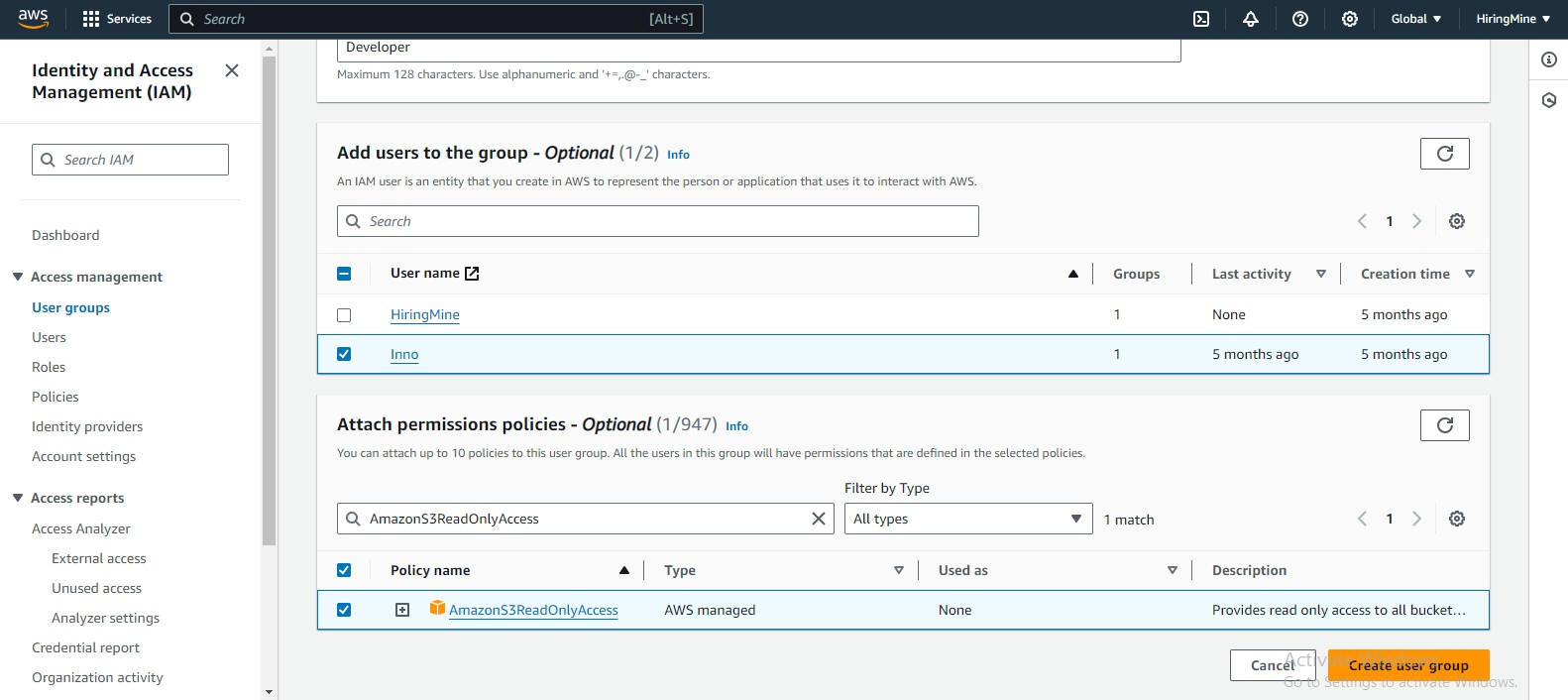
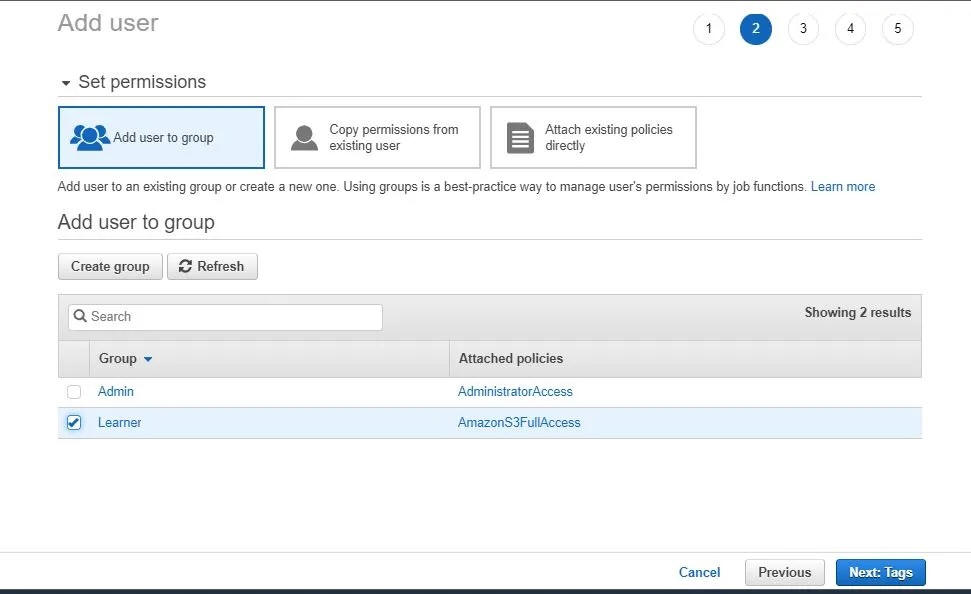
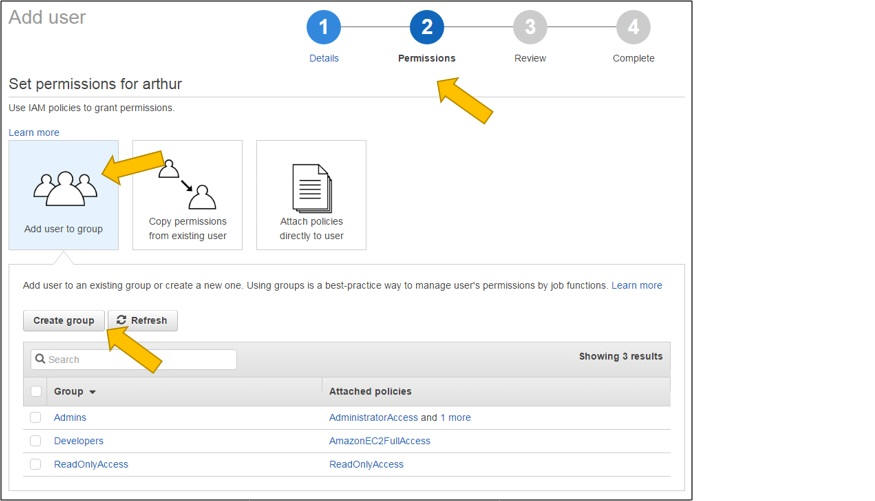
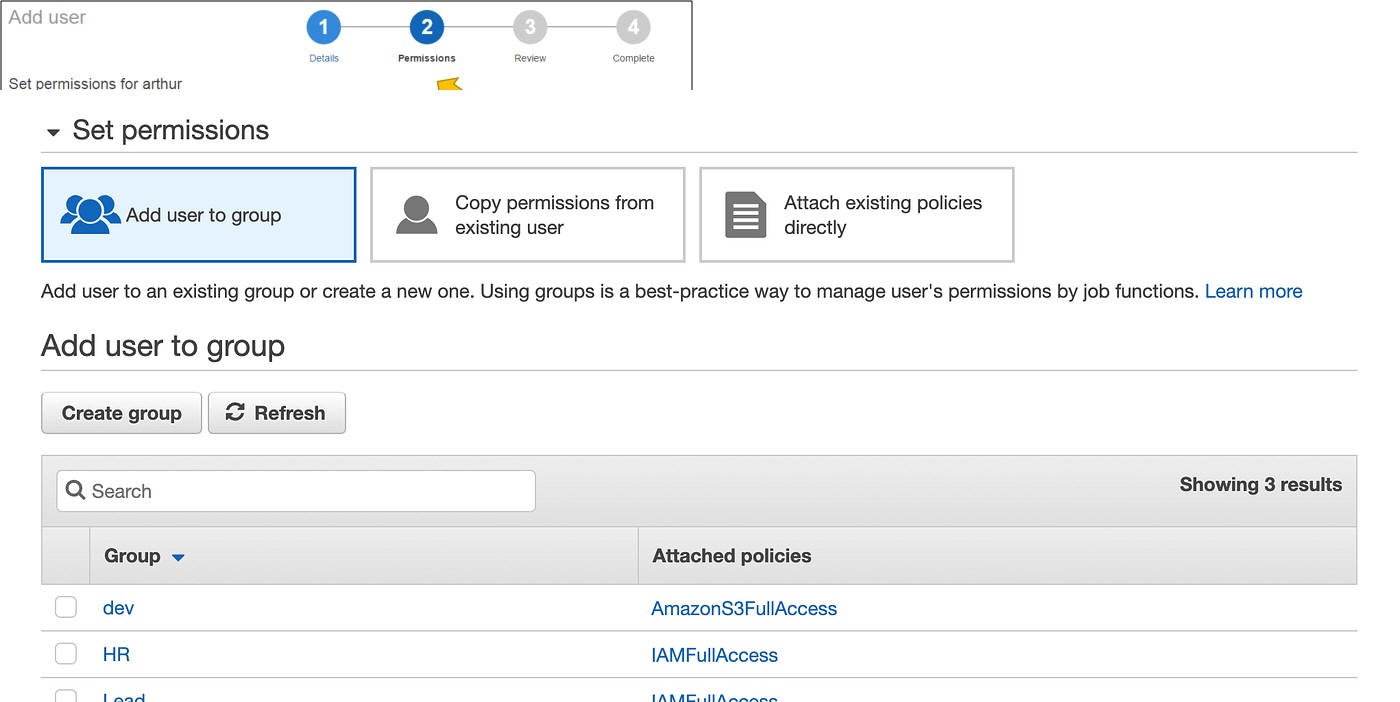
6. Add the user to the group

👉Why?

This is where the user gets permissions

✔️ Very important:
➡️ A user alone has NO permissions
➡️ The user inherits permissions from the group

---

7. Enable MFA (security)

👉 Why after creation?

Because:

MFA protects the account (two-factor authentication)

✔️ It’s an extra security layer

---

8. Test user login

👉 Why?

To verify that:
✔️ The user can log in
✔️ Everything works correctly

---

9. Test access denied

👉 Why?

To verify that security is working

✔️ Example:
➡️ The user tries a forbidden action
➡️ AWS should return: ACCESS DENIED

💡 Very important in cybersecurity!

---

10. Create an IAM role for EC2

Amazon EC2

👉 Why at the end?

Because:

Roles are for machines, not humans
It’s a more advanced concept

✔️ Example:
➡️ An EC2 instance accesses S3 without passwords

---

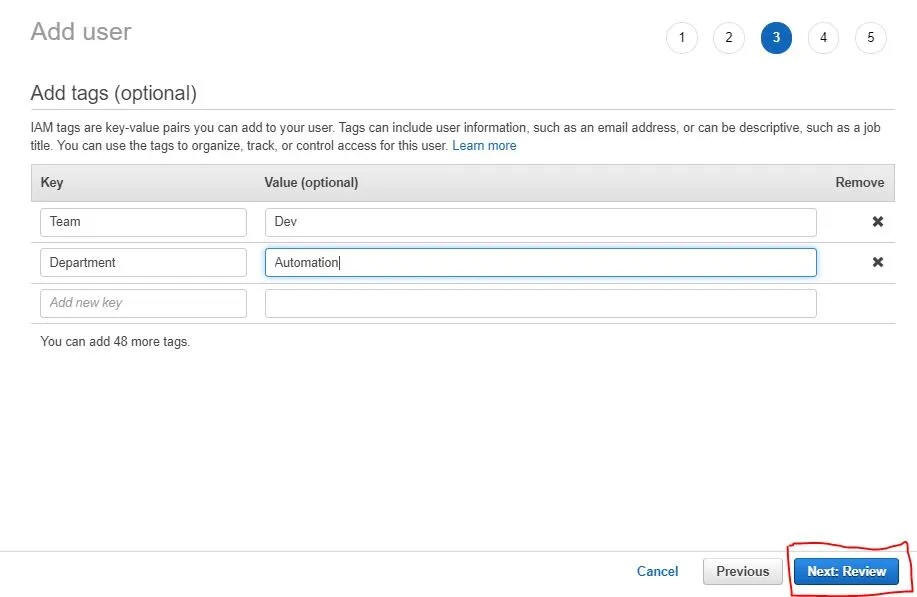
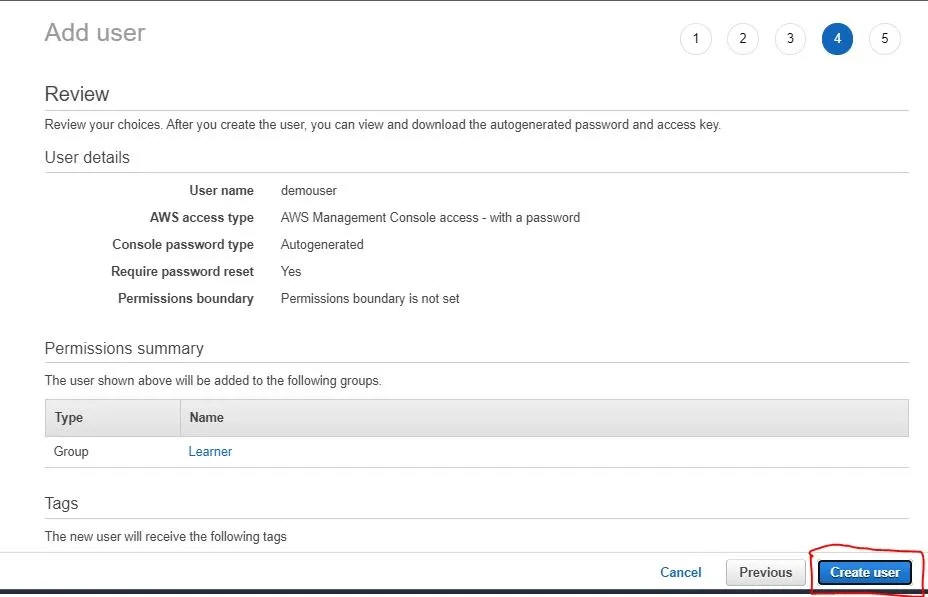
11. Tags + Review + Create

👉 Why?

Tags = organization (optional)
Review = avoid mistakes
Create = final step

---

12. Login + Credential Report

Why last?

The user can now log in
The report helps to:
✔️ check security
✔️ audit accounts

---


-Log in to AWS Management Console and Navigate to IAM :
 

-Creating an IAM Group :


-Creating a custom JSON Permission Policy :
 

-Attaching the policy to the group :


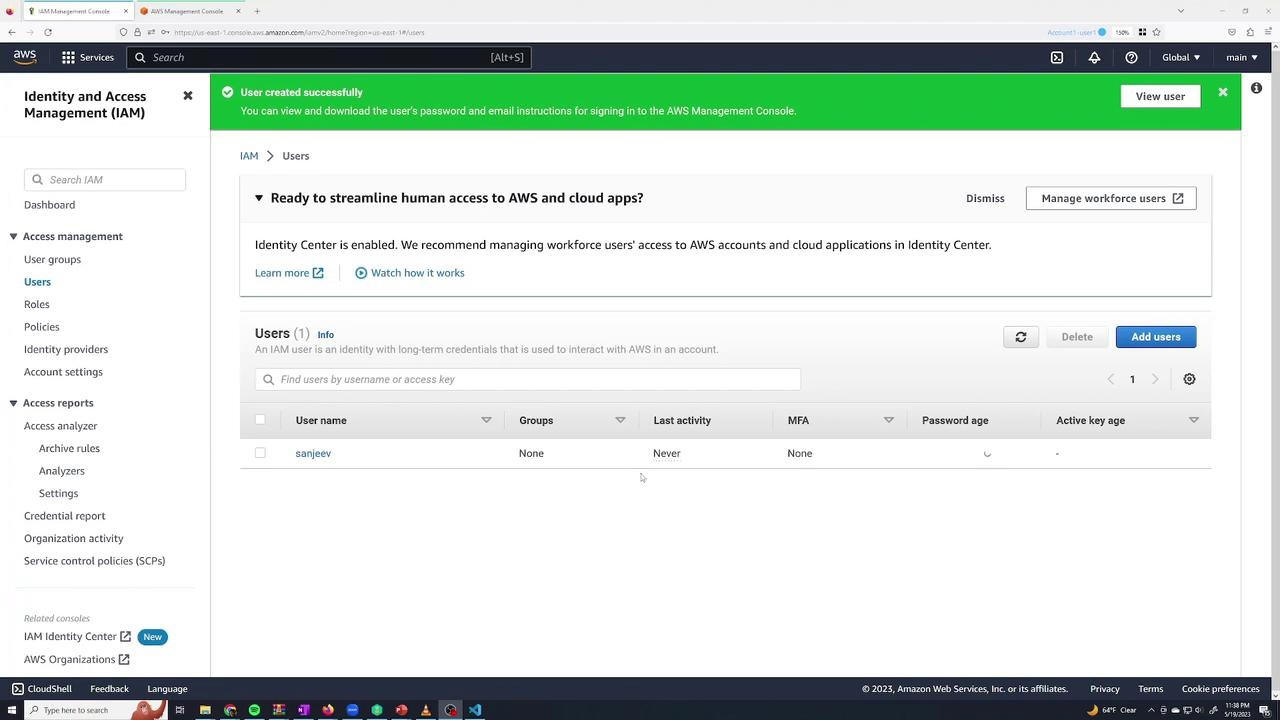
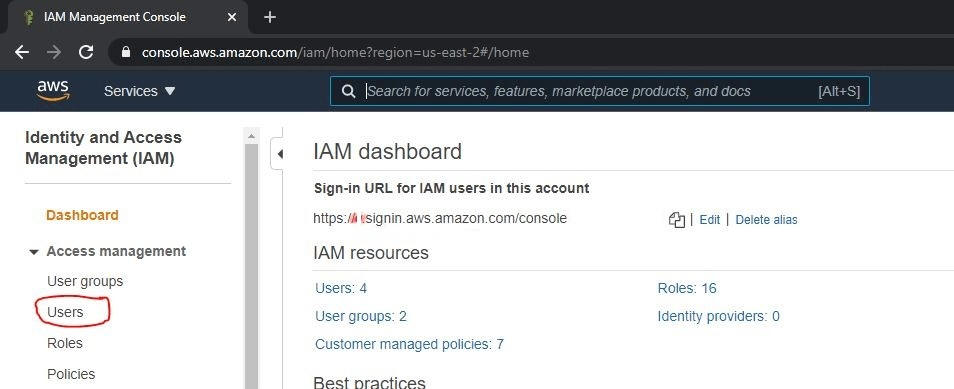
Step 2: Click on Users in the IAM Dashboard
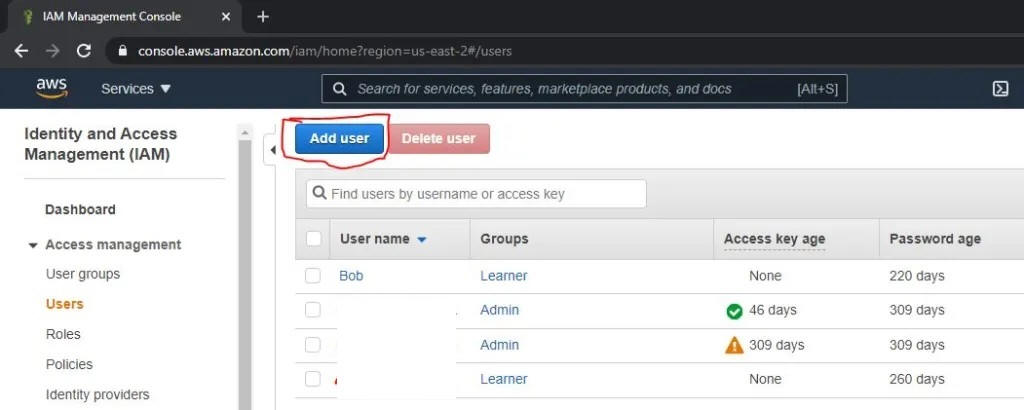
Step 3: Click Add user


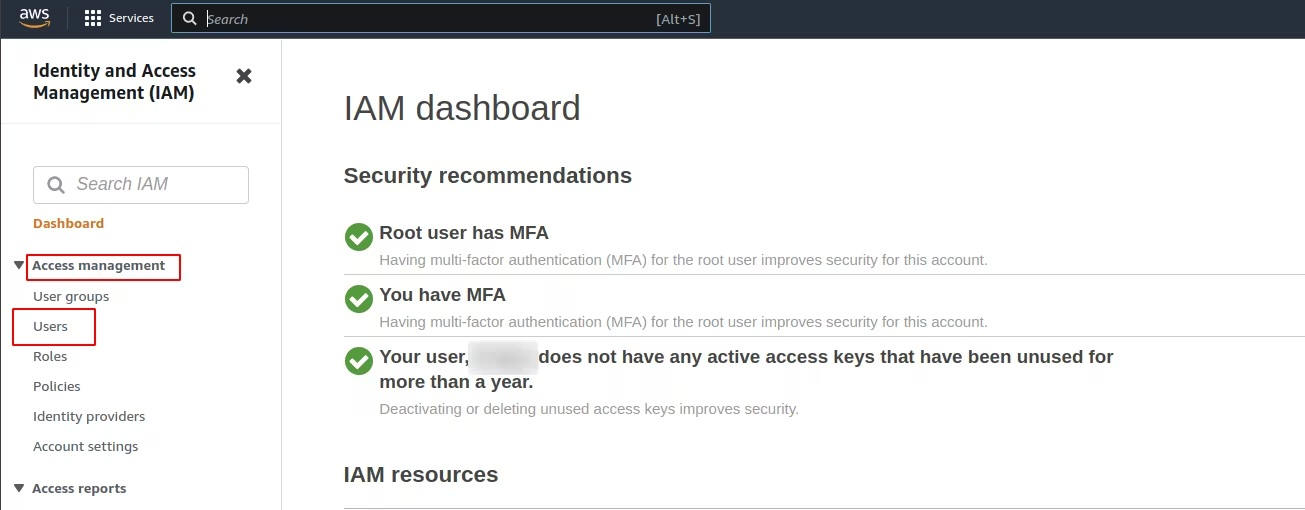
-Enabling MFA for an IAM user :
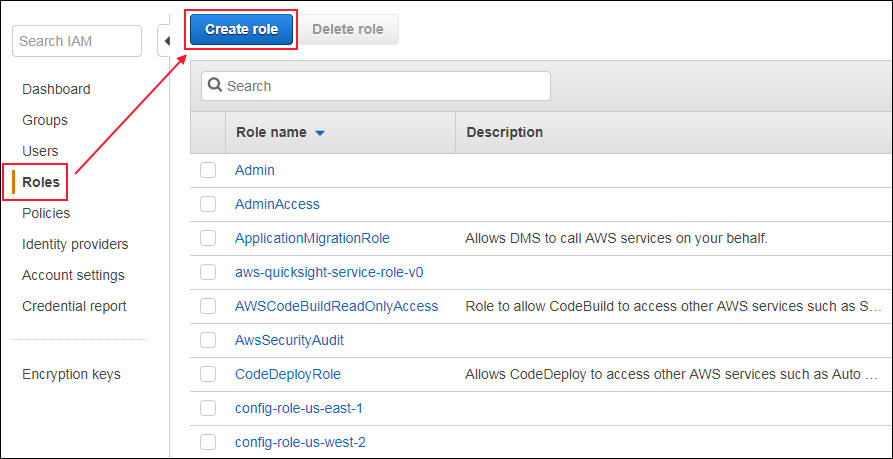
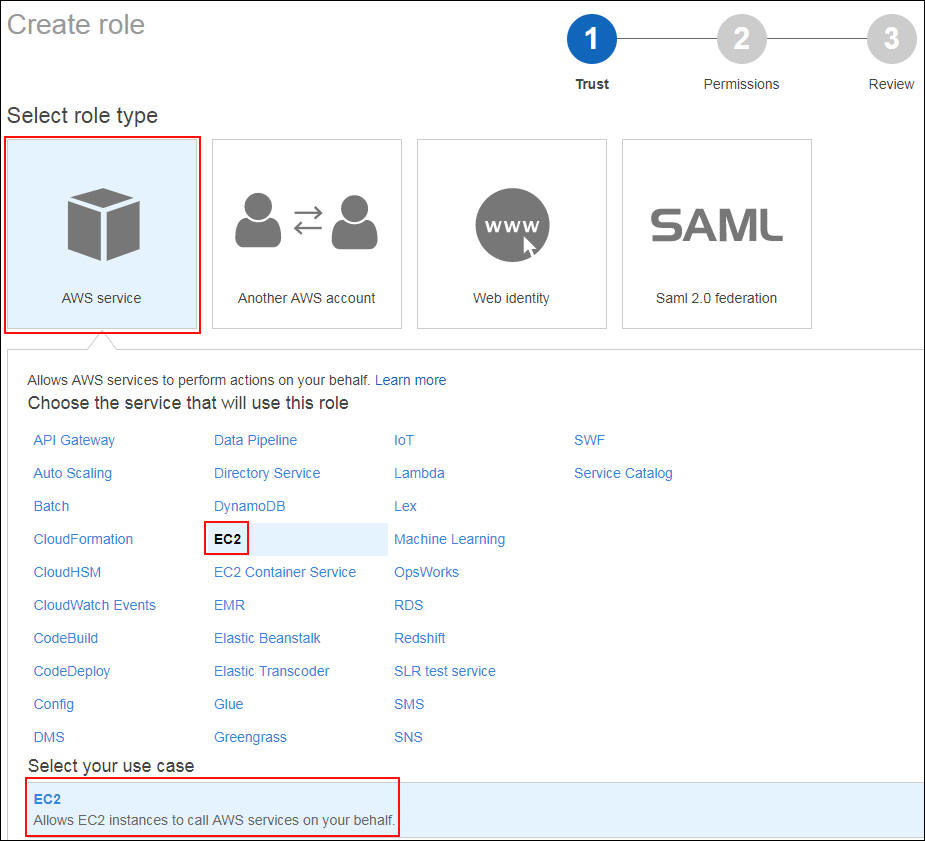
-Creating an IAM Role for EC2 (Permission granted to a machine) :


Copyright © All rights reserved.


* Cybersecurity Analyst
* SOC Analyst
* Security Operations Center
* Cloud Security
* DevSecOps
* Information Security
* Cybersecurity Engineer
* Threat Detection
* Incident Response
* SIEM Monitoring

---

# 🛡️ 2. Mots-clés SOC (très importants pour recrutement)

* SOC Analyst Tier 1
* SOC Analyst Tier 2
* Security Monitoring
* Log Analysis
* Security Alerts
* Threat Hunting
* Malware Analysis
* Phishing Detection
* Brute Force Detection
* Incident Investigation
* Security Events
* Blue Team

---

# ☁️ 3. Mots-clés Cloud Security

* Cloud Security Engineer
* AWS Security
* Azure Security
* Cloud Infrastructure Security
* Cloud Threat Detection
* Cloud Monitoring
* Identity and Access Management (IAM)
* Cloud Compliance
* Cloud Security Best Practices

---

# ⚙️ 4. Mots-clés DevSecOps

* DevSecOps Engineer
* Secure CI/CD Pipeline
* Security Automation
* Infrastructure as Code Security
* Docker Security
* Kubernetes Security
* Application Security
* Code Security
* SAST / DAST
* Continuous Security

---

# 🔬 5. Mots-clés techniques (très puissants SEO)

* Splunk
* ELK Stack (Elasticsearch, Logstash, Kibana)
* Microsoft Sentinel
* Wireshark
* Sysmon
* Linux Security
* Windows Security Logs
* Network Security
* Firewall Logs
* IDS / IPS

---

# 🚀 6. Mots-clés “portfolio / recrutement”

👉 Très important pour être trouvé par RH

* Cybersecurity Portfolio
* SOC Analyst Portfolio
* Cybersecurity Projects
* Cybersecurity Labs
* Security Use Cases
* Threat Detection Lab
* Cybersecurity Skills
* Entry Level Cybersecurity
* Junior Cybersecurity Analyst

---

# 📈 7. Mots-clés SEO longue traîne (ULTRA PUISSANT)

👉 Ceux-là font la différence 🔥

* Cybersecurity analyst portfolio website
* SOC analyst projects and labs
* How to detect cyber attacks using SIEM
* Cybersecurity incident response examples
* Cloud security best practices for beginners
* DevSecOps security pipeline example
* SIEM log analysis tutorial
* Threat detection use cases

---

# 🧠 STRATÉGIE SEO (très important)

## 📌 Où mettre ces mots-clés :

* Page d’accueil (titre + description)
* Page “About”
* Page “Labs”
* Titres H1 / H2 / H3
* Meta description
* URL des pages

---

# 🏆 EXEMPLE DE TITRE SEO (à utiliser)

👉
**Cybersecurity Analyst Portfolio | SOC, Cloud Security & DevSecOps Projects**

---

# 🏆 EXEMPLE META DESCRIPTION

👉
**Cybersecurity Analyst portfolio with hands-on labs in SOC monitoring, SIEM, Cloud Security and DevSecOps. Available for hiring.**

---
 

Manager DSI (secteur bancaire)

🎯 Mots-clés principau

# 🏦 🔥 1. Mots-clés Manager DSI (secteur bancaire)

## 🎯 Mots-clés principaux

* IT Manager
* IT Director
* Head of IT
* IT Governance
* Information Systems Management
* Digital Transformation
* IT Strategy
* Enterprise IT

---

## 🏦 Spécifique BANQUE (très puissant)

* Banking IT Systems
* Core Banking Systems
* Financial Information Systems
* Banking Cybersecurity
* Risk Management Banking
* IT Compliance Banking
* Data Protection Banking
* Financial Security

---

## ⚖️ Gouvernance & conformité

* IT Governance Framework
* COBIT
* ITIL
* Risk Assessment
* Business Continuity Plan (BCP)
* Disaster Recovery Plan (DRP)
* Regulatory Compliance

---

## 📊 Management & pilotage

* IT Project Management
* Team Leadership IT
* IT Operations Management
* KPI IT Performance
* IT Service Management (ITSM)
* Strategic IT Planning

---

# 🏥 🛡️ 2. Mots-clés RSSI (hôpital / santé)

## 🎯 Mots-clés principaux

* Chief Information Security Officer (CISO)
* Information Security Manager
* Cybersecurity Governance
* Security Risk Management
* Security Policies

---

## 🏥 Spécifique SANTÉ (très important)

* Healthcare Cybersecurity
* Hospital Information Systems (HIS)
* Patient Data Protection
* Medical Data Security
* Health IT Security
* Electronic Health Records (EHR) Security

---

## 🔐 Sécurité & conformité

* ISO 27001
* NIST Cybersecurity Framework
* GDPR Compliance
* Data Privacy
* Access Control
* Identity Management

---

## 🚨 Gestion des incidents

* Incident Response Management
* Security Operations Management
* Cyber Risk Assessment
* Vulnerability Management
* Threat Intelligence

---

# 🚀 🧠 3. Mots-clés hybrides (TRÈS PUISSANTS 🔥)

👉 Ceux-là font le lien entre ton profil actuel et ton évolution :

* Cybersecurity Leadership
* IT Security Strategy
* Enterprise Security Architecture
* Security Governance
* IT Risk Management
* Digital Security Transformation
* Cloud Security Governance